
How to Renew Your PRC License in 2026
A step-by-step guide to completing your CPD Credits via CPDAS and renewing your PRC ID through LERIS
Renewing your PRC Professional Identification Card (PIC) usually involves two PRC systems:
This guide walks you through both— and shows how to renew your PRC ID using Self-Directed Learning (SDL) CPD.
Do you need CPD units for renewal?
Under the transition period rules referenced in PRC guidance, professionals typically fall into these categories:
For more information regarding the PRC's Transition Period rules, you can check out PRC Resolution 2019-1146.
Note:
PRC IDs expire on your Birth Date and can be renewed ONE YEAR BEFORE their expiration.
Let’s say your PRC ID expires on March 15, 2027 (birth date: March 15):
Haven't renewed your PRC ID for years or even decades?
No worries! Until December 31, 2026 - PRC will only still require you to have 15 CPD Units to renew your license - regardless of how long your ID has been expired.
How much is the Renewal Fee?
For professions requiring baccalaureate degree: ₱150.00 per year or total of ₱450.00 for three (3) years
For professions requiring non-baccalaureate degree: ₱140.00 per year or total of ₱420.00 for three (3) years
A surcharge of ₱30.00 (baccalaureate degree) and ₱28.00 (non- baccalaureate degree) is added if PIC is renewed twenty (20) days after birth month.
For more information, you can check the PRC's FAQs page.
With this background in mind, let's get on with the steps to renewing your PRC ID/License:
Step 1: Complete your CPD units
To get the required 15 CPD units, one easy and flexible option is via Online Self-Directed Learning (SDL)—flexible, on-demand and self-paced CPD where you submit your CPD Certificates through CPDAS for crediting.
Note: UpCredential is an accredited CPD provider (Acc. No. 2024-171) providing SDL CPD to busy CPAs who need a flexible and effective way to get CPD.
UpCredential's SDL CPD training has the following features:
UpCredential has a selection of 15 CPD Bundles to choose from.
Step 2: Prepare your SDL documents
For SDL CPD, you will need to submit your CPD Certificates and supporting documents combined into one PDF file.
So you need to prepare the following:
As a PRC Board of Accountancy accredited CPD Provider (Acc. No. 2024-171), UpCredential:
✅ Provides you with complete documents for upload to PRC-CPDAS (This includes the Program of Activities, Learning Outcomes/Objectives and Learning Narrative Template – all downloadable from the modules).
✅ Guides you through the exact steps for your submission to the PRC-CPDAS
✅ Supports you until your CPD credits are reflected in your PRC-CPDAS account
Tip to reduce hassle and cost:
If you completed multiple SDL CPD modules to come up with your 15 CPD units, it’s better to combine all certificates into one CPDD-03 submission instead of filing many separate submissions. This is because PRC will charge a flat rate of P500 per submission - regardless of the number of CPD Certificates being submitted.
Step 3: Submit your SDL credits in CPDAS
Create your CPDAS account. The CPDAS is short for Continuing Professional Development Accreditation System. All PRC professionals need to create a CPDAS account so they can monitor their CPD credits that have been recognized by the PRC.
Once you have your CPDAS account, sign in and go to your dashboard where you can find “My Other Activities for Accreditation”. This is where you will upload your CPD Application (the PDF you prepared in Step 2).
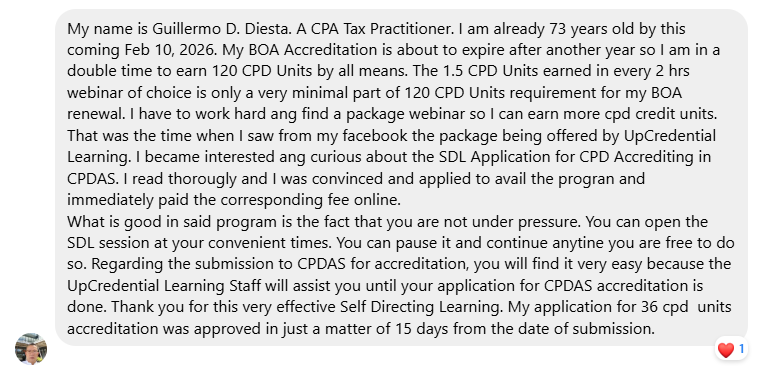
Expected PRC processing time is 15 working days and if there's no action from PRC within that time, your CPD application is “deemed approved” and your CPD Credits will be reflected in your CPDAS Dashboard.
Check your CPDAS dashboard within the next two to three working days after submitting your application. The PRC regional office will review your documents and might note some missing requirements so you might need to reupload your updated PDF file as instructed. You only have two days to comply with any reupload requirements.
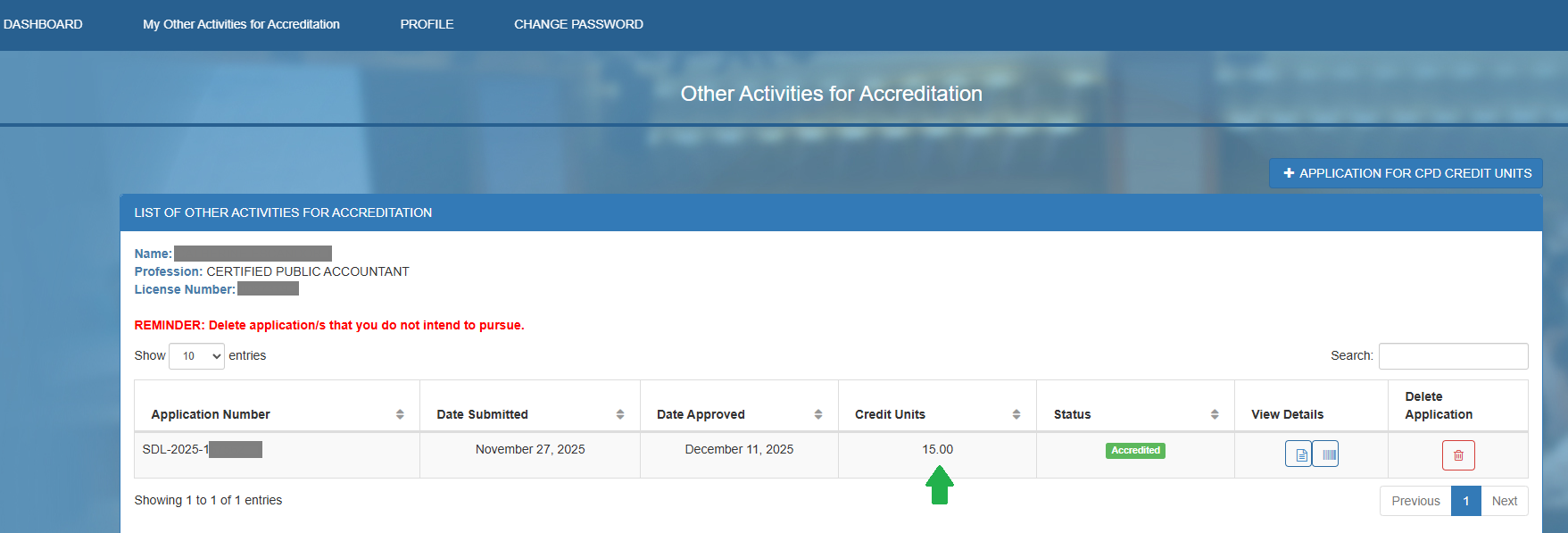
After about 15 working days, log back in and check "My Other Activities for Accreditation".
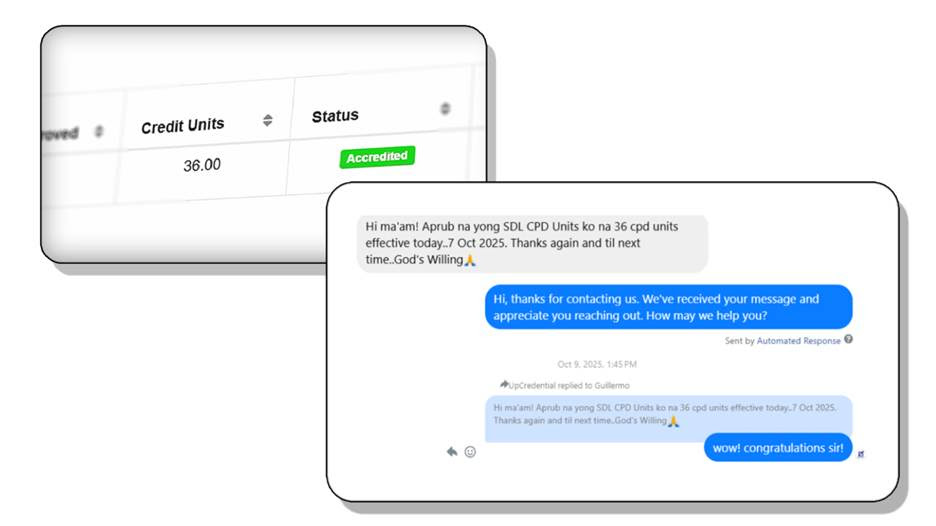
If your application is approved, you’ll see the status “Accredited” — confirming your CPD units are officially credited to your PRC record.
Here's a step-by step video showing how to submit UpCredential CPD Certificates to the PRC via CPDAS.
In case you haven’t received any update from the PRC regarding your application after the 15 working days processing period, you can make a follow up by sending them an email . Email your concern to : [email protected] or [email protected]
Step 4: Create (or update) your PRC LERIS account
Renewing your PRC license is now easy and convenient with the PRC's latest online system for license renewal. With the PRC's Licensure Examination & Registration Information System (LERIS), you can renew your license anytime and from anywhere in the world via the internet.
Through LERIS, professionals must register to access essential services, including:
✅ Scheduling an appointment for ID renewal ( no walk-ins)
✅ Selecting the PRC office for claiming your PRC license ID
To begin, create your LERIS account at LERIS Portal. If you haven't registered yet, it's best to set up your account now to avoid delays.
For additional guidance, here's the PRC's guide on using the LERIS:
LERIS-Online-Step-by-Step-Procedure-v8.pdf
To ensure a smooth registration process, prepare the following:
💡 Pro Tips for a Hassle-Free Experience
📸 Photo Guidelines Matter: Uploading a photo that doesn’t meet PRC standards may delay your application. Stick to the official requirements.
📅 Keep Your Info Updated: If you change your email or mobile number, update it in your profile to avoid missing notifications.
🧾 Save Your Credentials: Store your login details securely. You’ll need them for exam applications, renewals, and verifications.
Step 5: Renew your PRC PIC in LERIS (appointment + payment)
With your CPD credited (or if you are eligible to renew under PRC’s current undertaking policy), proceed with PRC Online Services:
And that's it, you just need to claim your PRC ID on your scheduled date and appointment place!
15 CPD Requirement for License ID Renewal Extended Until December 31, 2026
On December 26, 2025, PRC announced that professionals can still renew their PRC ID with just 15 CPD units - and this accommodation was extended until December 31, 2026.
After that, based on PRC’s transition roadmap, the CPD requirement is expected to step up (e.g., moving toward 30 units for 2026 renewals, then higher thereafter). So if you can renew within this window, it’s smart to take advantage of the lower 15-unit requirement.
How to know if you can renew before December 31, 2026
✅ You can process renewal as long as you are within 1 year before your PRC ID expiration date.
For CPAs, your expiration is tied to your birth date.
Rule of thumb:
Earliest renewal date = the day AFTER your expiration date, one year before it expires.
Let’s say your PRC ID expires on March 15, 2027 (birth date: March 15). Your earliest renewal date is March 16, 2026. Your renewal window is March 16, 2026 to March 15, 2027
✅ Since March 16, 2026 is before December 31, 2026, you can renew as early as March 16, 2026 and still qualify for the 15-CPD-unit renewal (as long as you process renewal on/before December 31, 2026).
👉 Practical tip: start your CPD now so you’re ready to renew the moment your window opens—no cramming, no last-minute stress.
Quick checklist
Before CPDAS submission (SDL):
Before LERIS renewal:
Friendly reminder
PRC processes, links, and requirements can change. Always double-check the latest PRC advisories and the options shown inside your LERIS/CPDAS accounts.